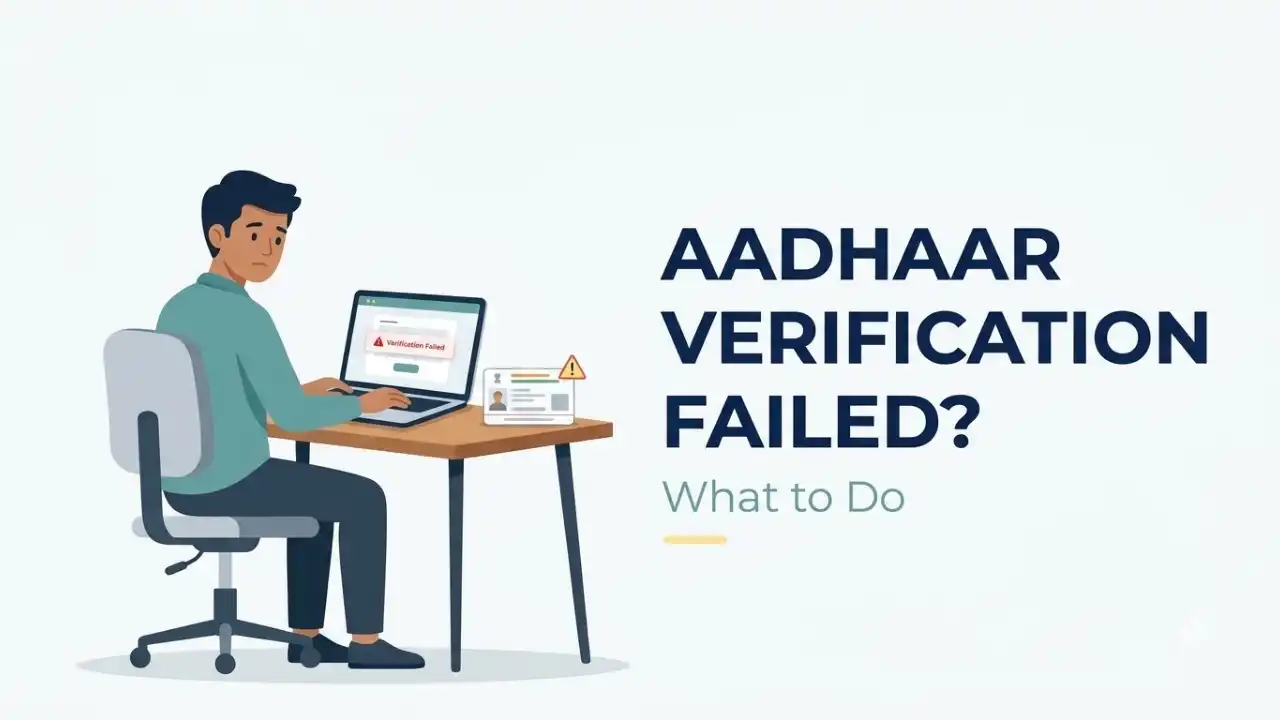
Candidates applying for SSC or Railway Recruitment Board (RRB) examinations can sometimes get stuck at the Aadhaar verification stage. The portal may show messages such as “Aadhaar Authentication Failed,” “Demographic Details Mismatch,” “OTP Authentication Failed,” “Unable to Verify Aadhaar” or a similar error even when the Aadhaar number entered is correct.
This problem usually does not mean that the candidate is ineligible. Aadhaar authentication can fail because of a mismatch in personal details, an incorrect or expired OTP, Aadhaar locking, network problems or a temporary communication failure between the recruitment portal and UIDAI. UIDAI itself recognises demographic mismatch, OTP failure, incorrect Aadhaar details and technical or network-related problems as possible reasons for authentication failure.

For SSC and RRB applicants, the first priority should be to identify which type of Aadhaar authentication is failing and then use the appropriate correction or alternate verification route. Candidates should not repeatedly create new registrations merely because Aadhaar verification fails.
Table of Contents
Aadhaar Authentication Failed: What Should You Do First?
If you are currently seeing an Aadhaar authentication error, do these checks before trying repeatedly:
- Confirm that the Aadhaar number is entered correctly.
- Check your name, date of birth and gender against your Aadhaar details.
- Make sure the OTP being entered is the latest OTP received.
- Avoid refreshing the page or pressing the browser Back button while authentication is in progress.
- Retry after a short interval if the portal or network appears slow.
- Check whether the recruitment portal offers DigiLocker or another identity-verification option.
If the same error continues, the solution depends on whether the problem is a demographic mismatch, OTP failure, locked Aadhaar or a portal-side technical issue.
Name or Date of Birth Mismatch? Check Aadhaar Details Carefully

One of the most common causes is a mismatch between the personal information entered in the recruitment form and the details available in Aadhaar.
UIDAI’s authentication documentation identifies a demographic mismatch when personal information submitted for authentication does not match the data stored in Aadhaar. This can include details such as name, gender or date of birth.
For example:
| Recruitment Form | Aadhaar | Possible Result |
|---|---|---|
| Rahul Kumar | Rahul Kumar | Usually matches |
| Rahul K Kumar | Rahul Kumar | May fail depending on verification method |
| 12 June 2002 | 12 June 2002 | Matches |
| 12 June 2002 | 2002 only / different DOB | May cause mismatch |
| Male | Male | Matches |
| Male | Female | Authentication may fail |
Do not change your recruitment details randomly just to make Aadhaar authentication work.
SSC, for example, also requires candidates to enter critical personal details carefully during One-Time Registration and asks candidates to enter their name as given in the Matriculation certificate.
If your Aadhaar and Class 10 certificate contain different information, check the specific SSC or RRB instructions before deciding which record needs correction.
Aadhaar OTP Not Coming During SSC or RRB Registration

If the Aadhaar authentication process depends on OTP and you are not receiving it, first check whether the mobile number currently in use is linked with Aadhaar.
Also make sure:
- mobile network is available;
- your phone is not blocking service messages;
- you wait for the latest OTP before entering it;
- you do not keep generating OTPs repeatedly;
- you enter the complete OTP within its validity period.
UIDAI notes that OTP authentication can fail because of an invalid OTP, poor connectivity or session-related problems. It also advises against using Refresh or Back during an ongoing authentication transaction because doing so can disturb the session.
If multiple OTPs have been generated, use the latest one.
OTP Received but Aadhaar Authentication Still Fails
If the OTP reaches your registered number but the recruitment portal still shows authentication failed, do not assume that the Aadhaar number itself is invalid.
Possible reasons include:
- incorrect OTP entered;
- OTP expired;
- older OTP entered after generating a new one;
- recruitment portal session expired;
- Aadhaar verification service temporarily unavailable;
- internet connection dropped during authentication;
- recruitment portal did not receive the authentication response correctly.
Close the application only after saving any completed information, log in again and retry the authentication from the candidate dashboard.
Avoid opening several application tabs at the same time.
Check Whether Aadhaar Is Locked
UIDAI allows Aadhaar holders to lock certain authentication functions for security reasons.
If Aadhaar or biometrics have been locked, authentication may fail until the relevant function is unlocked.
UIDAI’s current authentication regulations specifically recognise cases such as Aadhaar locked or biometrics locked among reasons an authentication request can fail.
If the recruitment portal indicates that Aadhaar is locked, use the official UIDAI facility to review the status and unlock it before trying again.
Do not share your Aadhaar OTP with anyone claiming to unlock the account on your behalf.
SSC Aadhaar Authentication Failed: Can You Still Complete OTR?
For SSC applicants, Aadhaar-based authentication is part of the One-Time Registration framework, but SSC’s current instructions provide an alternative route for candidates who do not authenticate through the Aadhaar-based system.
Recent SSC examination notices state that candidates who do not want to authenticate themselves through Aadhaar are required to upload prescribed documents for completing their OTR. These can include proof of name, date of birth, address, gender and photograph, depending on the applicable notice.
This is important for candidates who are repeatedly unable to complete Aadhaar authentication.
Therefore, if SSC Aadhaar authentication keeps failing, check whether your current OTR screen offers the non-Aadhaar/document-upload route.
Do not assume that a failed Aadhaar attempt automatically prevents you from completing SSC registration.
What Documents May SSC Ask for If Aadhaar Authentication Is Not Used?
Current SSC instructions indicate that non-Aadhaar candidates may be required to upload supporting documents covering areas such as:
- Proof of Name
- Proof of Date of Birth
- Proof of Address
- Photograph
- Proof of Gender
The exact acceptable documents should be checked in the notice of the examination for which you are applying. SSC notices list examples such as Voter ID, PAN, driving licence, birth certificate, school-leaving certificate and other prescribed documents depending on the category of proof
Upload clear and valid documents only.
RRB Aadhaar Authentication Failed: Is There Another Option?
RRB recruitment notices strongly advise candidates to authenticate their identity using DigiLocker or Aadhaar while creating an account.
RRB also states that applicants who verify their identity through alternate photo IDs may face stricter and more detailed scrutiny during subsequent stages of recruitment.
Therefore, if Aadhaar authentication fails during RRB account creation, check whether the portal allows:
- DigiLocker authentication;
- Aadhaar authentication retry;
- alternate photo-ID verification.
Using DigiLocker may be useful where the recruitment portal provides it as an accepted identity-authentication route.
Do not create multiple RRB accounts to bypass an Aadhaar failure. RRB recruitment notices warn candidates against multiple applications/accounts in the same recruitment process.
SSC/RRB Aadhaar Authentication Failed Due to Server Error
If your Aadhaar details are correct but the page shows messages such as:
- Authentication service unavailable
- Something went wrong
- Unable to process request
- UIDAI server error
- Technical error
- Request timed out
The issue may be technical rather than related to your Aadhaar information.
In such a case:
- log out of the application;
- wait for some time;
- use a stable internet connection;
- clear the browser session if necessary;
- log in again;
- retry from the official recruitment portal.
Avoid attempting authentication continuously dozens of times.
If the problem appears during peak application hours, retrying later may help.
Do Not Change Aadhaar Details Just Because the Portal Fails Once
A temporary authentication error is not evidence that your Aadhaar record is wrong.
Before starting an Aadhaar update, first determine whether there is a genuine mismatch.
Check:
- your name;
- date of birth;
- gender;
- mobile linkage;
- Aadhaar status.
If all details are correct, the problem may simply be a recruitment portal or authentication-session issue.
Aadhaar correction should be considered when your actual Aadhaar record contains incorrect or outdated information, not merely because one authentication attempt failed.
What If Your Aadhaar Name and Class 10 Certificate Are Different?
This needs particular care because recruitment portals can use both Aadhaar and educational records.
For SSC, current OTR instructions ask candidates to enter their name as given in the Matriculation certificate.
Suppose your Class 10 certificate says:
Ankit Kumar Sharma
while Aadhaar says:
Ankit Sharma
Do not simply shorten or alter the SSC application name to force Aadhaar authentication.
Instead, first review the recruitment instructions and determine whether the portal provides a non-Aadhaar verification route or whether your Aadhaar record needs to be updated.
The same principle applies to differences caused by surname changes, spelling corrections or changes after marriage.
Date of Birth Is Different in Aadhaar and Certificate: What to Do?
If the Aadhaar date of birth differs from the educational certificate used by the recruitment authority, authentication or later document verification can become problematic.
First, confirm exactly what is recorded in both documents.
If the Aadhaar information itself is incorrect, consider updating Aadhaar through the prescribed UIDAI process.
If the recruitment application requires the Class 10 certificate date of birth, do not intentionally enter an incorrect DOB merely to make Aadhaar authentication succeed.
The final recruitment record should comply with the particular examination’s official instructions.
Aadhaar Authentication Failed Repeatedly: Try This Checklist
If authentication has failed several times, follow this sequence:
| Check | What to Do |
|---|---|
| Aadhaar number | Re-enter carefully |
| Name | Compare with Aadhaar record |
| Date of birth | Check for mismatch |
| Gender | Verify it matches |
| OTP | Use latest OTP only |
| Mobile | Confirm Aadhaar-linked number is accessible |
| Aadhaar lock | Check whether authentication is locked |
| Network | Retry on stable internet |
| Browser session | Log out and start a fresh session |
| SSC | Check non-Aadhaar document verification option |
| RRB | Check Aadhaar/DigiLocker/alternate ID options |
| Still failing | Contact the official recruitment helpdesk |
Application Deadline Is Today, and Aadhaar Verification Is Failing
Do not spend the entire remaining time repeatedly attempting the same authentication.
If you are applying through SSC, immediately check whether the current application or OTR process allows you to proceed through the prescribed non-Aadhaar document route.
If you are applying through an RRB portal, check whether DigiLocker or an alternate identity-verification method is available.
If the portal itself is malfunctioning, take screenshots showing:
- date and time;
- error message;
- application/registration number;
- current stage of registration.
Then contact the recruitment authority through its official helpdesk facility.
A screenshot does not guarantee acceptance after the deadline, but it provides useful evidence when reporting a genuine technical problem.
Should You Create a New SSC or RRB Account?
Usually, no.
If you already have an SSC OTR or RRB account, first try resolving the authentication problem through that account.
Creating a new registration can cause additional problems, especially where recruitment rules restrict multiple accounts or applications.
RRB notices specifically instruct candidates who already created an account for earlier CENs to use the same credentials for subsequent recruitment applications.
For SSC, once OTR has been generated on the new SSC website, it continues to be used for examinations conducted through that system.
Aadhaar Biometric Authentication Is Different From Aadhaar OTP Verification
Candidates should also understand that Aadhaar may be used at different stages.
During application or account creation, authentication may involve demographic details or OTP.
At later recruitment stages, some authorities may use biometric Aadhaar authentication for identity verification.
SSC has implemented Aadhaar-based biometric authentication in examinations and recruitment processes, while RRBs have also used Aadhaar-based identity verification at examination stages.
Therefore, successfully completing OTP authentication during registration does not necessarily mean that biometric verification will never be required later.
What If Fingerprint Aadhaar Authentication Fails Later?
If biometric authentication is required later and fingerprint matching fails, UIDAI recommends:
- placing the finger properly on the scanner;
- trying a different finger;
- cleaning the finger;
- cleaning the scanner.
UIDAI also states that repeated biometric failures can be addressed by visiting an Aadhaar update centre to update biometrics where necessary.
This issue is different from an OTP or demographic failure during the online application.
When Should You Contact UIDAI and When Should You Contact SSC/RRB?
Contact UIDAI when the problem appears to be with your Aadhaar itself, such as:
- Aadhaar locked;
- incorrect Aadhaar demographic information;
- Aadhaar status problem;
- repeated authentication failure across different services;
- biometric information requiring an update.
Contact SSC or RRB helpdesk when:
- Aadhaar works elsewhere but fails only on the recruitment portal;
- the authentication button is not working;
- the portal displays a technical error;
- authentication succeeds but the recruitment account does not update;
- there is no way to continue after authentication;
- an alternate verification option is not working.
This distinction can save a lot of time.
Protect Your Aadhaar Details While Seeking Help
Recruitment applicants facing a technical problem are common targets for fake support agents.
Never share:
- Aadhaar OTP;
- banking OTP;
- UPI PIN;
- ATM PIN;
- CVV;
- recruitment account password.
Do not send a full unmasked Aadhaar copy to random social-media accounts or unofficial WhatsApp numbers.
Use only the official recruitment portal and officially published support channels.
Quick Solution for SSC Candidates
If Aadhaar authentication fails during SSC registration:
- Check Aadhaar number and personal details.
- Retry OTP authentication in a fresh session.
- Check whether Aadhaar authentication is locked.
- Compare your details with your Class 10 certificate.
- If authentication continues to fail, check the non-Aadhaar document upload option available under the applicable SSC OTR instructions.
- Complete OTR and the examination application before the deadline.
- Save the final application.
Quick Solution for RRB Candidates
If Aadhaar authentication fails during an RRB application:
- Check Aadhaar number and personal details.
- Retry after starting a fresh login session.
- Check OTP/mobile-related issues.
- Check whether the portal allows DigiLocker authentication.
- Check whether alternate photo-ID verification is available.
- Continue with the same existing RRB account rather than creating unnecessary duplicate accounts.
- Contact the RRB helpdesk if the portal still prevents application completion.
Most Candidates Should Remember This
An “Aadhaar Authentication Failed” message does not automatically mean that your SSC or RRB application has been rejected.
First, identify the reason for the failure.
If the problem is a mismatch, correct the underlying information through the appropriate process. If it is an OTP or session problem, retry authentication correctly. If Aadhaar verification is not working, check the alternate identity-verification route offered by the recruitment authority.
For SSC candidates in particular, current recruitment instructions provide a prescribed document-based route for candidates not completing Aadhaar-based authentication. RRBs, meanwhile, encourage Aadhaar or DigiLocker identity authentication and provide for greater scrutiny where alternate photo IDs are used.
The important point is to resolve the identity-verification stage before the application deadline rather than repeatedly attempting the same failed process.
Frequently Asked Questions
Why does Aadhaar authentication fail during SSC or RRB application?
Common reasons include incorrect Aadhaar details, name or DOB mismatch, incorrect or expired OTP, locked Aadhaar authentication, network problems and temporary recruitment-portal errors.
Can I apply for SSC if Aadhaar authentication fails?
Current SSC instructions provide a document-upload route for candidates who do not complete Aadhaar-based authentication. Check the applicable examination notice and OTR options before proceeding.
Can I use DigiLocker instead of Aadhaar for an RRB application?
Current RRB recruitment notices advise candidates to authenticate identity using DigiLocker or Aadhaar during account creation.
My Aadhaar OTP is not coming. What should I do?
Check your mobile network and whether you have access to the mobile number linked with Aadhaar. Avoid repeatedly requesting OTPs and use the most recent OTP when it arrives.
My name is different in Aadhaar and Class 10 certificate. Should I change the application name?
Do not alter your recruitment details merely to bypass authentication. Follow the recruitment authority’s rules regarding the name to be entered and use the available alternate verification procedure where applicable.
Should I create another RRB account if Aadhaar verification fails?
No. RRB notices instruct existing users to continue with the same account credentials, and multiple applications/accounts can create problems.
Aadhaar works everywhere else but fails on SSC/RRB. What should I do?
This can indicate a recruitment-portal or session issue rather than an Aadhaar-record problem. Retry in a fresh session and contact the recruitment helpdesk if the problem persists.