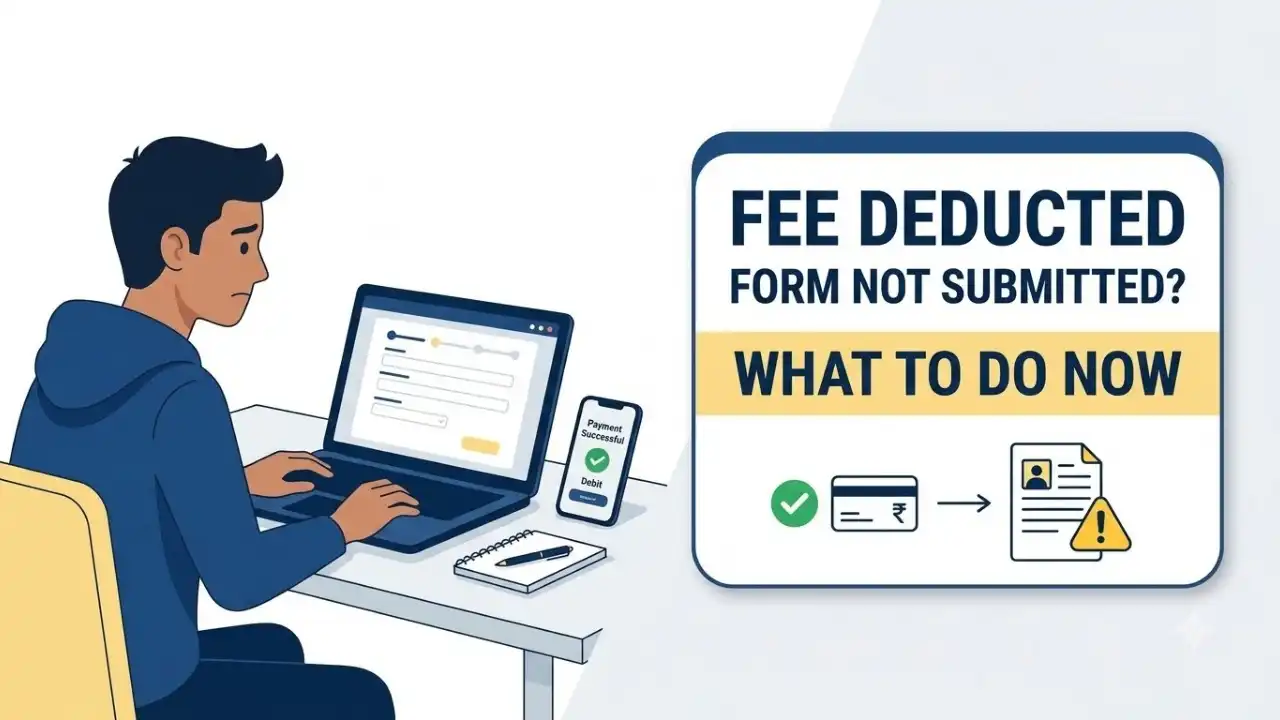
Candidates applying for government jobs, entrance examinations and other online recruitment processes can occasionally face a worrying situation: the application fee is deducted from the bank account, but the application form is still showing incomplete, payment failed or not submitted.
The problem usually occurs when the bank processes the payment but the recruitment portal does not receive a successful transaction response. A temporary payment-gateway failure, slow server, internet interruption or closing the payment page before redirection can also cause it.
Candidates facing this issue should not assume that the application has been submitted just because money has been deducted. The payment status and final application status must be checked separately. More importantly, candidates approaching the application deadline should resolve the issue before the fee-payment window closes.
Table of Contents
Fee Deducted But Application Not Submitted: What Should You Do First?
If you are facing this problem right now, start by logging back into the same recruitment or examination portal.
Do not create another registration immediately.
Open your candidate dashboard and look for options such as:
- Application Status
- Payment Status
- My Application
- Check Payment Status
- Verify Payment
- Print Application
- Confirmation Page
- E-Receipt
Your next step depends on what the portal shows.
| Current Status | What You Should Do |
|---|---|
| Payment Successful + Application Submitted | Download the application and receipt |
| Payment Successful + Application Incomplete | Complete the remaining Final Submit step |
| Payment Pending | Check/verify the transaction and allow reconciliation time |
| Payment Failed | Retry payment if the official portal permits it |
| Money deducted but no confirmation page | Treat the application as incomplete until verified |
| Deadline is very close | Prioritise completing the application within the deadline |
Money Deducted but Payment Status Shows Pending
A Pending status does not necessarily mean that your payment has failed.
Online recruitment portals generally depend on a payment gateway to receive confirmation from the candidate’s bank. Sometimes that confirmation does not reach the application server immediately.
Candidates should first look for a Check Payment Status, Verify Payment or Update Payment Status option inside their account.
If such an option is available, use it before making another payment.
You can also log out, wait for some time and log in again to check whether the status has changed.
Different examination authorities follow different reconciliation timelines, so candidates should not assume that every pending payment will be updated within the same number of hours.
Money Deducted but Payment Shows Failed
This requires more attention.
A bank debit and a successful recruitment payment are not necessarily the same thing. Your bank may process the debit while the payment gateway fails to communicate successful completion to the recruitment portal.
For example, official recruitment systems operated through IBPS state that where an e-receipt cannot be generated, the online transaction may not have succeeded. Candidates may then be required to log in again and complete the payment.
NTA examination instructions have also addressed situations in which the confirmation page is not generated after payment. In such cases, candidates may have to make another transaction to complete the application, while the amount involved in the failed transaction is dealt with separately after reconciliation.
Therefore, if your dashboard clearly shows Payment Failed, check whether the portal provides a Retry Payment or Pay Now option.
Should You Pay the Application Fee Again?
This is usually the biggest concern for candidates.
The answer depends on the payment status and how much time remains before the application deadline.
If the Deadline Is Still Several Days Away
Do not make repeated payments immediately.
First:
- Check the payment status again.
- Use the payment-verification option, if available.
- Allow time for transaction reconciliation.
- Read the payment instructions for that particular recruitment.
If the first transaction gets updated as successful, another payment will not be required.
If the Deadline Is Very Close
The situation is different if the application is still incomplete and the fee-payment deadline is only a few hours away.
If the portal clearly marks the previous transaction as failed and provides an option to pay again, candidates should follow the instructions of that recruitment portal.
Waiting only for the first amount to return could result in missing the application deadline.
The application submission and refund of a failed payment should therefore be treated as two separate issues.
Payment Successful but Application Still Shows Incomplete
Not every application portal automatically submits the form after payment.
Some recruitment systems have a separate final step.
After confirming successful payment, look for buttons such as:
Final Submit
Complete Registration
Complete Application
Submit Application
Confirm Application
If one of these options is still available, carefully review the application and complete the final submission.
Do not close the process after seeing only Payment Successful.
How Can You Confirm That Your Application Is Actually Submitted?
A bank transaction message is not enough.
After completing the process, candidates should ideally be able to see or download one or more of the following:
- Submitted application form
- Confirmation page
- E-receipt
- Payment receipt
- Final application number
- Application status showing “Submitted”
- Registration confirmation through email or SMS
IBPS recruitment instructions, for example, advise candidates to print the e-receipt and online application form after successfully completing the transaction.
Similarly, confirmation pages are an important part of the application process in several NTA examinations.
The terminology varies between portals, but the principle remains the same: verify the final application from the recruitment portal itself.
Confirmation Page Not Generated After Payment: What Does It Mean?
Candidates applying for NTA and similar examinations often search for this specific problem.
If money has been deducted but the confirmation page has not been generated, do not assume that the form is complete.
First, log in again and check the application and transaction status.
A confirmation page normally appears only after the system successfully records the required stages of the application. If it is not available, follow the examination authority’s instructions regarding payment verification or another transaction.
Keep the payment details of the first transaction safe.
Application Deadline Is Today: What Should You Do?
This is the situation where candidates need to act quickly.
Suppose your fee has been deducted, but:
- payment is showing failed;
- application remains incomplete; and
- the fee-payment deadline ends today.
First, use any Check Payment Status or Verify Transaction facility available on the portal.
If the transaction still shows failed and the portal officially allows a fresh payment, complete the payment again and finish the application before the deadline.
Do not simply wait for a bank refund if doing so could cause the application window to close.
Once the application is successfully submitted, the earlier failed transaction can be pursued separately.
Fee Deducted Twice? Check Both Transactions Before Paying Again
Duplicate payment can occur when candidates retry a transaction before the previous one has been properly updated.
If your account has been debited twice, first check your final application status.
Then note the status of both transactions.
| Transaction Situation | Recommended Action |
|---|---|
| First failed, second successful | Confirm application submission and preserve both transaction records |
| First pending, second successful | Monitor the first transaction for reconciliation |
| Both successful | Report the duplicate transaction according to the authority’s payment rules |
| Both pending | Verify payment before attempting another transaction |
| Both failed | Application may remain incomplete; check retry-payment instructions |
Do not make a third payment simply because the dashboard is taking time to update.
Will the Failed Application Fee Be Refunded?
A failed transaction is commonly reversed by the bank or payment gateway after reconciliation, but candidates should not assume that every payment problem follows the same refund rule.
Official recruitment systems have different policies.
In some cases, the amount from a genuinely failed transaction is automatically returned to the candidate’s bank account.
In other cases, candidates may need to approach the bank or follow a specific grievance mechanism.
There is also an important difference between a failed transaction and a successfully received application fee. Many recruiting organisations state that a successfully paid fee is non-refundable.
This is why candidates should preserve the transaction number and determine whether the payment was actually failed, pending or successfully received.
What If the Failed Payment Is Not Refunded?
If the application has been successfully completed through another payment but the first failed amount has not been returned, keep the following details ready:
- Candidate name
- Application/registration number
- Examination or recruitment name
- Amount deducted
- Payment date and time
- Transaction/reference number
- UPI reference or bank reference, where applicable
- Screenshot of payment status
- Bank transaction screenshot
Contact the bank or the official recruitment helpdesk depending on the instructions provided for that examination.
Avoid sending sensitive financial information that is not required.
Never share your:
- OTP
- UPI PIN
- ATM PIN
- CVV
- Internet banking password
No genuine recruitment helpdesk needs these details to verify a transaction.
What If Payment Is Successful but There Is No Final Submit Option?
First check whether the application has already been automatically submitted.
Look under sections such as My Applications, Application Status or Print Application.
If a completed application PDF or confirmation page is available and the status shows submitted, the process may already be complete.
If payment is successful but the application still explicitly shows incomplete and there is no way to proceed, take screenshots and contact the official helpdesk.
Do not make another payment unless the portal directs you to do so.
Internet Disconnected During Payment? Check Status Before Trying Again
Candidates sometimes complete the bank or UPI transaction but lose internet connectivity while being redirected to the recruitment website.
The same problem can occur if the browser is closed immediately after payment.
In this situation, avoid starting another payment straight away.
Log back into the application portal and check whether the first transaction has been recorded.
Several online recruitment systems specifically advise applicants not to press the browser’s Back or Refresh button while the payment transaction is being processed because it can cause payment failures or duplicate charges.
Take Screenshots Before Raising a Complaint
Candidates should preserve evidence as soon as they notice a payment problem.
Take screenshots showing:
- application status;
- payment status;
- payment failure/pending message;
- registration number;
- transaction ID;
- payment date and amount.
Also save the relevant bank or UPI transaction record.
These details will make it much easier for the examination authority, bank or payment gateway to identify the transaction.
How to Contact the Recruitment Helpdesk
Candidates should contact the official helpdesk if:
- the payment remains pending beyond the stated reconciliation period;
- payment is successful but the application remains incomplete;
- money is deducted but the portal repeatedly shows failed;
- the portal does not allow another payment;
- duplicate payment has occurred;
- the deadline is approaching and the transaction cannot be verified.
Use only the phone number, email address or grievance facility published on the official recruitment or examination portal.
A complaint can be written in this format:
Application Fee Complaint Format
Subject: Application Fee Deducted but Application Not Submitted
I have completed the application fee transaction and the amount has been deducted from my bank account. However, my application/payment status is still showing failed, pending or incomplete.
Candidate Name:
Recruitment/Exam:
Registration Number:
Payment Date:
Amount:
Transaction ID:
Current Payment Status:
Current Application Status:
Kindly verify the transaction and advise me regarding completion of the application process.
Attach the payment and application-status screenshots where required.
What If the Application Deadline Has Already Passed?
First, log in and check whether the application was successfully recorded despite the earlier error.
If the portal shows Submitted, immediately download and save the completed form.
If it continues to show incomplete, check whether the recruiting authority has announced:
- an extended fee-payment window;
- transaction reconciliation facility;
- application correction window;
- grievance window;
- special instructions for failed payments.
Candidates should not assume that a bank statement showing a debit will automatically convert an incomplete application into a valid one after the deadline.
For example, SSC recruitment notices have specifically stated that where the prescribed fee is not received and the application remains incomplete, such applications can be rejected.
This is why payment problems should be resolved before the application window closes wherever possible.
Avoid These Mistakes While Making an Online Application Payment
A few simple precautions can reduce the chances of facing the same problem again.
- Do not repeatedly click the payment button when the portal is slow.
- Do not press Back or Refresh while the payment is being processed.
- Allow the payment gateway to redirect you back to the application website.
- Avoid making the payment at the last minute on the closing date.
- After paying, always return to the candidate dashboard and check the final status.
- Most importantly, download the completed application form and payment receipt before considering the process finished.
Fee Deducted But Form Not Submitted: Quick Checklist
If you are currently stuck with this problem, follow these steps in order:
- Log in to the same application account.
- Check Payment Status and Application Status separately.
- Use Check Payment/Verify Payment if available.
- If payment is successful, complete Final Submit if it is still pending.
- If payment is pending, allow reconciliation time where the deadline permits.
- If payment has failed, use the official Retry Payment facility if instructed.
- If the deadline is close, do not risk losing the application solely while waiting for a refund.
- Save screenshots and transaction details.
- Contact the official helpdesk if the status does not update.
- After successful submission, download the final application and receipt.
The Most Important Thing to Remember
Money deducted from your bank account does not automatically mean that your application has been successfully submitted.
The transaction must be recognised by the recruitment portal, and any remaining application steps must also be completed.
A candidate should ideally finish the process with a submitted application status and a downloadable confirmation page, application form or receipt.
If your fee is deducted but the form remains pending, failed or incomplete, check the portal immediately rather than waiting until the application deadline has passed.